See what changed, then understand why.
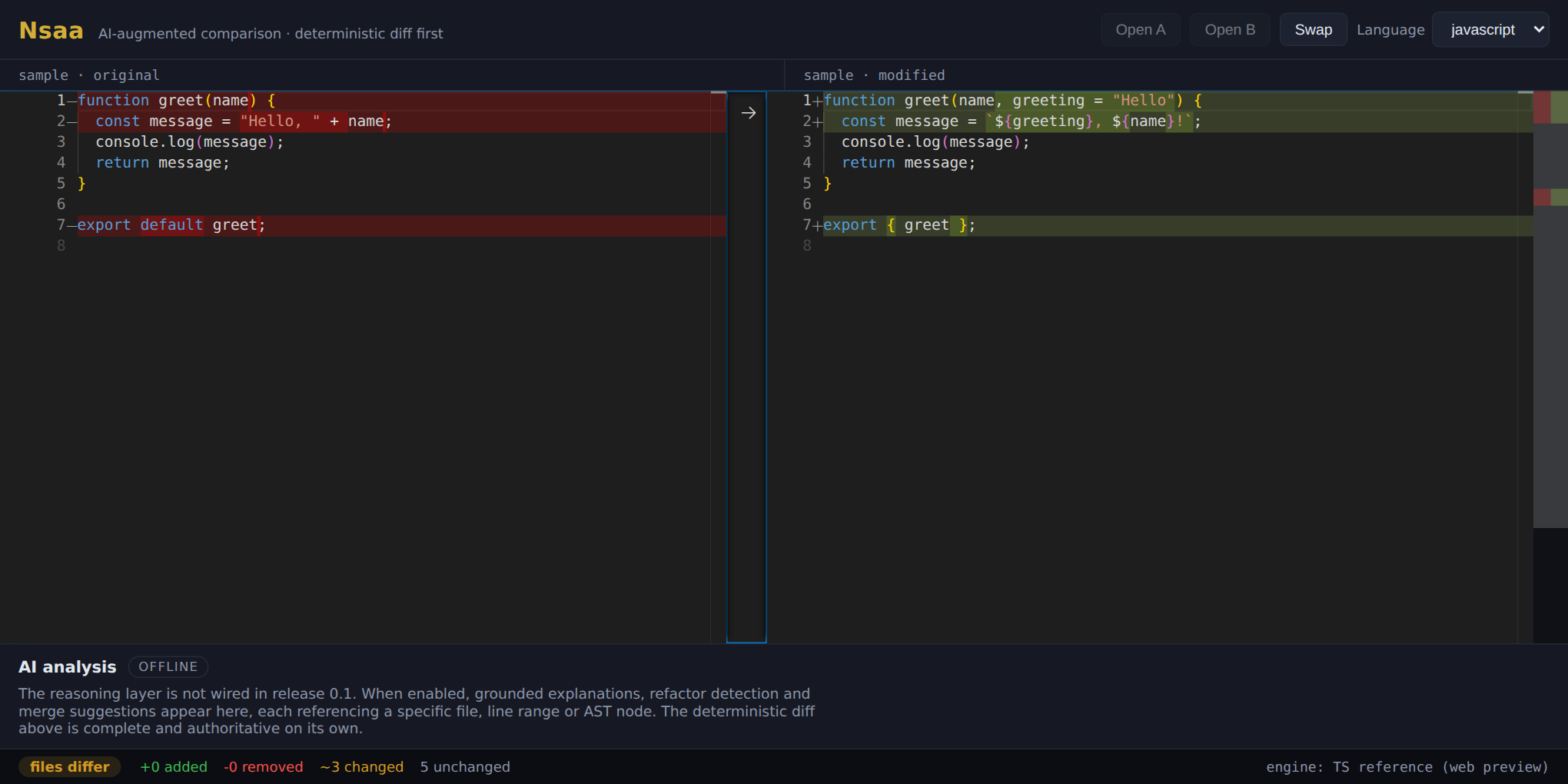
Nsaa is a desktop file and folder comparison tool. It shows you the exact, deterministic diff first, always, then adds an optional reasoning layer that explains changes in behavioural terms.
What Nsaa does
Honest to the 0.1 foundation release: what works now is marked, and what is designed but not yet wired is marked too.
Deterministic diff, always first Now
A two-way text comparison with live added / removed / changed / unchanged statistics. The result is computed and shown before any model call, and never waits on one.
Cross-platform, no account Now
Windows, macOS, and Linux from one codebase. It runs fully on your machine: no server, no sign-in, nothing uploaded.
Private by architecture By design
The internal engine-to-reasoning channel binds to localhost only. Your code is never used for training, and the diff works with the reasoning layer entirely offline.
AI reasoning overlay After 0.1
Grounded, line-anchored explanations of what changed and why, each referencing a concrete file or line. Present in 0.1 as an offline panel; wired in a later release.
Download
Pick your platform. Windows and macOS builds are unsigned in this release, so the OS will warn on first launch; the section below explains how to proceed.
Release
Getting past the "unknown publisher" warning
The Windows and macOS builds are not code-signed yet. That warning is expected for an early build; verify the SHA-256 on each download if you want to be sure the file is intact.
Show the per-platform steps
Windows (SmartScreen)
Run the installer. If a "Windows protected your PC" screen appears, click More info, then Run anyway.
macOS (Gatekeeper)
Open the .dmg and drag Nsaa to Applications. On first launch, right-click (or Control-click) the app and choose Open, then confirm. It opens normally after that.
Linux
AppImage: chmod +x Nsaa-0.1.0.AppImage then ./Nsaa-0.1.0.AppImage. Debian/Ubuntu: sudo apt install ./nsaa-diff_0.1.0_amd64.deb.